

Grover Pro is the ultimate app to manage podcasts on Windows.
Grover Pro exclusive features:
- Periodically look for new episodes on background
- Limit the amount of downloaded episodes to keep per podcast.
- Enable ‘Automatic download’ only to specific podcasts.
- Enable ‘Automatic add to playlist’ only to specific podcasts.
- Enable the notification of new episodes only to specific podcasts.
- Sync your subscriptions between devices through OneDrive
- Capable of running on Xbox
- Change bluetooth control to skip forwards/backwards
- Prevent download over metered connections
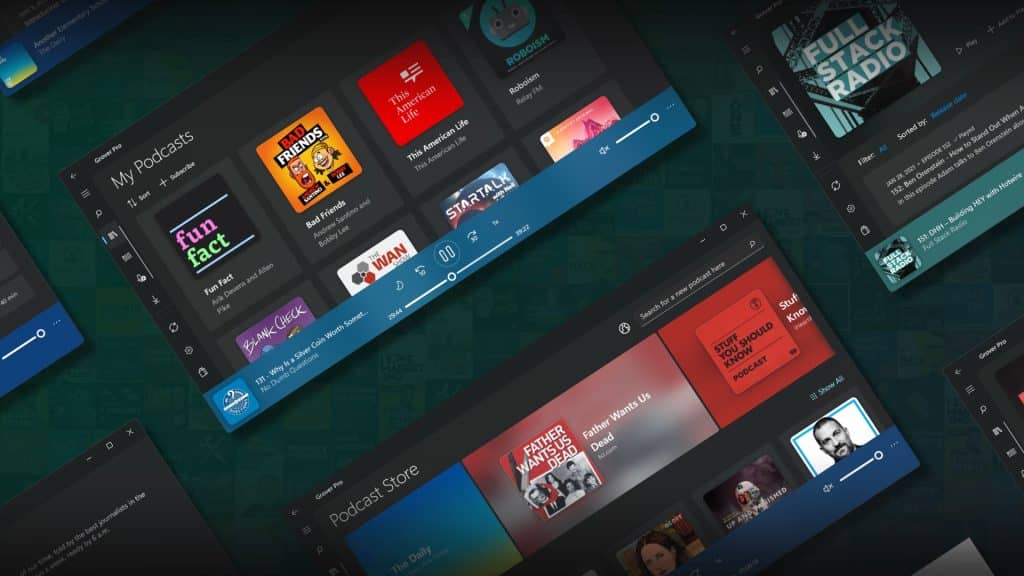
Features
Stream audio podcasts directly from app
Search and subscribe to podcasts using the search box.
Automatically remove podcasts already listened
Show system notification when there’s new podcasts available
Automatically download new podcasts
Reorder the podcasts catalog (Drag / Drop)
Themes Light and Dark
Periodically looks for new episodes on background
Limit the amount of downloaded episodes to keep per podcast.
Sync your subscriptions between devices through OneDrive
Runs on PC, Xbox Series X|S and Xbox One
Enable/disable new episode notifications per podcasts
Chapters support (only for downloaded episodes).
What’s new in this version
– Version 3.2.3.0 (March 03, 2025)
Fixed a crash on Windows 11 related to media playback information display.
Fixed several playback streaming issues.
System Requirements
Available on: PC, Mobile, Xbox console, Surface Hub, HoloLens
OS: Windows 10 version 18362.0 or higher
Get App
App Info
User Reviews
- Latest Version: 3.2.3.0
- Price: Freeware
- Content Rating: Everyone
- Requirements: Windows OS
- File Name: Grover Pro.Msix
★★★★☆
- Rating Average
4.2 out of 5 - Rating Users
193