
ScreenMix Screen Recorder helps you record a video from your screen, custom area, selected window, game, or stream from a video capture card. Add a webcam video along with a screen or mic and PC sound. Great for product demos, game recording, tutorials, and more!
Former ‘Screen Recorder by Animotica’
ScreenMix Screen Recorder by Mixilab provides an easy, uncomplicated way of recording your desktop’s screen and webcam sessions. Excellent for games and video stream recording, product demos, tutorials, webcam chats, and more!
If you want to control your privacy by recording and showing only specific areas of your screen, the app’s custom area recording feature allows you to do just that in a snap! Otherwise, its full display recording allows you to record and share everything that happens on your PC screen.
ScreenMix by Mixilab also has a delayed recording feature that allows you to start your recording more comfortably. With our low CPU and memory usage technology, you can control the quality and size of your output video. Thus, you can record your screen without overloading your PC’s storage and processor.
This simple yet powerful tool gives you the ability to record multiple monitors/displays at the same time, pointer activities, and even lets you track the size of your recording in real-time.
If you’re a fan of shortcuts, ScreenMix can be quickly fired up and powered down with Hot Keys: ‘Alt+R’ and ‘Alt+S’, respectively.
What’s more? ScreenMix Screen Recorder allows you to edit your recorded videos with our top-rated, super-easy video editor, Animotica. That way, your recorded videos will be more exciting and professional.
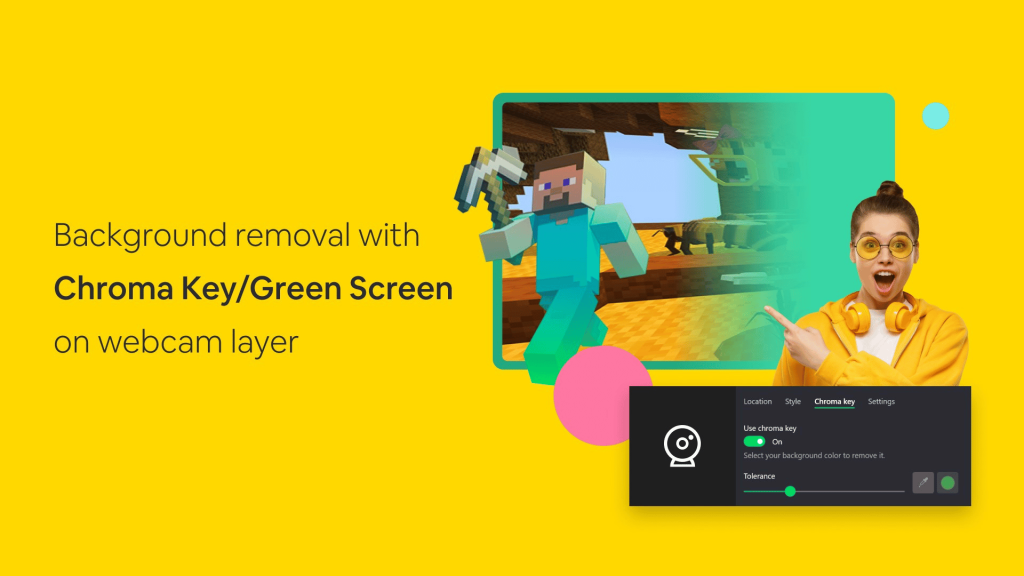
We’re going to improve this app with further releases. Green Screen (Chroma Key) feature will allow users to remove video background while webcam recording is coming soon!
With a free trial, you can try this excellent product right now! Just give this simple video capture software a shot, and you’d probably never look at any other screen recorder!
Features
Record Screen Video: Capture gaming sessions, product demos, desktop windows, and more without memory limits. Recorded videos are stored in MP4 format.
Record Webcam Video: Capture webcam sessions. You can record your webcam videos alone or together with desktop window.
Playback Audio: Record or mute the sound from your PC along with the events on the screen.
Microphone Audio: Record or mute your voice during screen recording or webcam sessions.
Full Display Recording: Record the entire screen on your PC.
Custom Area Recording: Record a specific part of your screen by highlighting the area.
Multi-display Recording: Record multiple monitors/displays at once.
Record and Highlight Mouse Pointer and Clicks: Record the movement of your cursor across the screen and also highlight every click made on the screen.
Delayed Recording: Delay your recording by 2, 5, or 10 seconds after which your app starts recording.
Customize Webcam Overlay: Change the position of your webcam overlay in the video; adjust the horizontal and vertical offset, change the overlay size, add an overlay border and even change its color.
Record in Desired Quality: Set your desired video output resolution from 480p to 1200p. Record in up to 120 frames per second.
Quick Start with Hot Keys: Quickly start and stop your recording with Hot Keys – Alt + R to Start/Pause and Alt + S to Stop Recording.
Low CPU and Memory Usage: Record your screen without heavily draining your storage or CPU. You’re in control of the quality and size of your output video.
Edit Recorded Video for Free using Animotica video editor.
Saving the Recorded Video on Your PC: Screen Recorder provides easy navigation through the recorded video with the option to play the video or edit it in Animotica.
Record your Twitch stream, a video from YouTube, Facebook, or any other website to share your experience with others.
Webcam background removal with Chroma Key / Green Screen
Select any Video or Audio Recording Device.
Time Bar – Keep track of your desktop video recording time.
Good alternative for Bandicam, Screenbits, RecForth, XRecorder, Camtasia, OBS
What’s new in this version
What’s new in this version:
– The new product name ‘ScreenMix’ (Former ‘Screen Recorder by Animotica’);
– Preview of what you are recording 🤗;
– Record video from Webcam or Video Capture Card (Now you can record a video from your Video game console 🎮) ;
– The new minimal window;
– Exclude the ScreenMix app from the recording (the app doesn’t appear on your recording, but you can see it on your screen);
– The new mode for recording selected window (You see only the selected window/application on your recording and nothing else);
– The new pointer animation and color settings;
– Opacity and Flip settings for Webcam overlay;
– Localizations for 10 languages (Soon to be available) 🇺🇦🇩🇪🇮🇹🇫🇷🇵🇹🇪🇸🇰🇷🇯🇵🇨🇳🇷🇺;
– Tons of fixes and improvements inside 🧑💻.
If you have any suggestions or complaints, please contact us by email at support@animotica.com
System Requirements
Available on: PC, Surface Hub
OS: Windows 10 version 17763.0 or higher
DirectX: Version 11 (Minimum), DirectX 12 API, Hardware Feature Level 11 (Recommended)
Memory: 1 GB (Minimum), 4 GB (Recommended)
Video Memory: 1 GB (Minimum), 2 GB (Recommended)
Get App
App Info
User Reviews
- Latest Version: 2.1.29.0
- Price: Freeware
- Content Rating:
- Requirements: Windows OS
- File Name: screenmix.msix
- ★★★★★
- Rating Average
- 4.4 out of 5
- Rating Users
- 220