
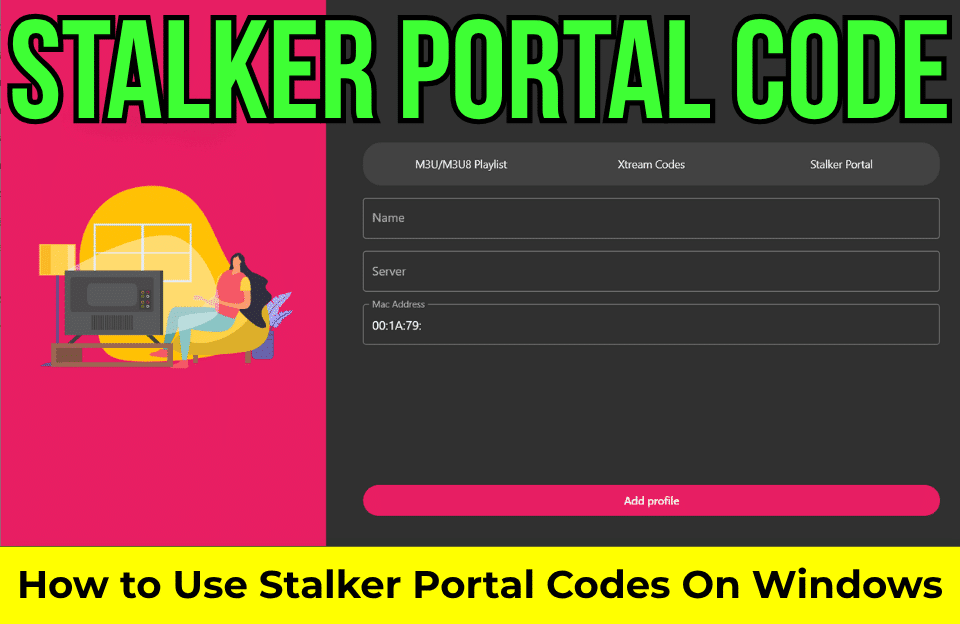
What Is a Stalker Portal Code?
Definition and Core Concept
If you’ve ever explored IPTV services, you’ve probably stumbled across the term “Stalker Portal Code.” It might sound technical, almost mysterious, but once you break it down, it’s actually quite simple.
A Stalker Portal Code is not really a “code” in the traditional sense. Instead, it’s a combination of a portal URL and a MAC address used to connect your device to an IPTV service. Think of it as a digital key that unlocks access to live TV channels, movies, and series streamed over the internet.
At its core, a Stalker portal acts as a middleware system, meaning it sits between your device and the IPTV provider’s server. It organizes everything, channels, categories, and streaming data, into a user-friendly interface.
So when someone says “Stalker portal code,” what they really mean is:
- Portal URL (server address)
- MAC address (device identifier)
Together, these allow your IPTV app or device to authenticate and load content.
Why It’s Popular in IPTV Systems
You might be wondering, why use this system instead of something simpler like a playlist?
The answer lies in structure and control. Unlike basic streaming links, Stalker portals provide:
- Organized channel lists
- Built-in Electronic Program Guides (EPG)
- On-demand content libraries
- Subscription control
This makes it feel more like traditional cable TV, but powered by the internet. And let’s be honest, who doesn’t want that familiar TV experience with modern flexibility?
How Stalker Portal Works
Client-Server Architecture Explained
To really understand Stalker Portal, picture this: your device is like a remote control, and the IPTV server is the TV station.
When you enter a portal URL into your device:
- Your app connects to the IPTV server
- The server checks your credentials
- It sends back channel lists and streaming data
This is known as a client-server model, where your device (client) communicates with the provider (server).
Every time you click a channel, your device requests a stream, and the server delivers it instantly.
Role of MAC Address Authentication
Here’s where things get interesting.
Instead of using usernames and passwords, many Stalker portals rely on a MAC address—a unique identifier assigned to your device. The IPTV provider registers this MAC address on their system.
When you connect:
- If your MAC address is approved → Access granted
- If not → Access denied
It’s like a VIP list at a club. If your name (MAC address) isn’t on the list, you’re not getting in.
Components of a Stalker Portal Code
Portal URL Structure
The portal URL is the gateway to your IPTV service. It usually looks like this:
http://example.com/c/That “/c/” at the end? It’s important that it tells your device where to connect within the server.
Without the correct URL format, your connection simply won’t work.
MAC Address Explained
A MAC address is a 12-character identifier like:
00:1A:79:XX:XX:XXThis address:
- Identifies your device
- Links your subscription
- Controls access to content
It’s essentially your IPTV identity.
Username & Password (Optional Cases)
Some providers also use login credentials, but this is less common in traditional Stalker setups. Most rely purely on MAC-based authentication for simplicity.
How to Use a Stalker Portal Code
Step-by-Step Setup Guide
Let’s break this down into a practical setup.
Setup on Smart TV
- Install an IPTV app (like Smart IPTV or similar)
- Go to portal settings
- Enter:
- Portal URL
- MAC address
- Save and restart the app
Boom, you’re connected.
Setup on Android Devices
For Android users:
- Install an app like STB Emulator
- Open settings → Profiles
- Enter portal URL
- Set MAC address
- Restart the app
Within seconds, your channel list should appear.
Setup on Windows
For Windows users:
Download and install IPTV smarters expert on pc. Then use below mac address to use free iptv service.
http://nexusconnects.org:80/c/
00:1A:79:D2:7F:B0
00:1A:79:80:F2:DE
00:1A:79:1B:14:26
00:1A:79:F5:12:87
00:1A:79:A2:BC:FB
00:1A:79:9A:B8:0D
00:1A:79:BB:63:36
00:1A:79:20:8F:FE
00:1A:79:BE:6D:49
00:1A:79:75:E6:CF
00:1A:79:C6:A5:29
00:1A:79:B6:C8:41
00:1A:79:B4:F5:7A
00:1A:79:C6:93:E2
00:1A:79:65:25:4E
00:1A:79:FB:5C:58
00:1A:79:47:7D:16
00:1A:79:1F:C2:3E
00:1A:79:B6:42:BD

http://nexusconnects.org:80/c/
00:1A:79:17:12:70
00:1A:79:45:1D:68
00:1A:79:29:7D:AB
00:1A:79:4D:97:84
00:1A:79:24:A7:E5
00:1A:79:AB:F0:92
00:1A:79:46:39:67
00:1A:79:74:8B:7A
00:1A:79:49:01:A7
00:1A:79:BE:1E:4B
00:1A:79:E7:57:58
00:1A:79:E4:CF:50
00:1A:79:1D:13:2B
00:1A:79:0D:4F:6A
00:1A:79:66:61:31
00:1A:79:C7:FF:D7
00:1A:79:C2:5E:1B
00:1A:79:50:8A:3C
00:1A:79:C7:02:48
00:1A:79:73:DF:F5
00:1A:79:74:88:C7
00:1A:79:56:E3:A0

http://nexusconnects.org:80/c/
00:1A:79:97:4B:E2
00:1A:79:76:0A:AB
00:1A:79:5D:89:EB
00:1A:79:46:14:99
00:1A:79:6E:BB:0C
00:1A:79:19:77:8C
00:1A:79:16:19:1F
00:1A:79:B8:74:CB
00:1A:79:BB:FD:C8
http://watchushere.com:80/c/
00:1A:79:55:51:22
00:1A:79:e2:ee:51
00:1A:79:2a:aa:9c
00:1A:79:0c:f6:df
00:1A:79:17:5b:53
00:1A:79:06:7a:58
00:1A:79:22:16:57
00:1A:79:22:13:c1
00:1A:79:07:45:7c
00:1A:79:d7:74:55
00:1A:79:ab:72:17Supported Devices and Apps
MAG Boxes and Infomir Devices
Stalker Portal was originally designed for MAG boxes, created by Infomir. These devices are purpose-built for IPTV and offer seamless integration.
They remain one of the most stable options for Stalker-based streaming.
IPTV Apps Like STB Emulator
Don’t have a MAG box? No problem.
Apps like:
- STB Emulator
- IPTV Smarters (limited support)
- Smart STB
allow you to emulate a MAG box on your smartphone, Smart TV, or Firestick.
Key Features of Stalker Portal
Live TV and EPG
One of the biggest advantages is the Electronic Program Guide (EPG). It shows:
- What’s playing now
- What’s coming next
- Channel schedules
This makes browsing feel intuitive, just like cable TV.
Video on Demand (VOD)
Stalker portals also include:
- Movies
- TV series
- Catch-up TV
All neatly categorized and easy to navigate.
Advantages of Using Stalker Portal Code
Using a Stalker Portal Code offers a structured and immersive IPTV experience that goes far beyond basic streaming. First, the interface mimics traditional television, making it incredibly easy for users to navigate channels, explore categories, and access content without confusion. This familiarity reduces the learning curve, especially for users transitioning from cable TV. Second, the system is highly organized, offering features like EPG, categorized content, and even catch-up TV, which allows you to watch missed programs effortlessly.
Another major advantage is device-based authentication. Since access is tied to a MAC address, there’s less risk of account sharing or unauthorized use. This ensures better performance and stability because the provider can manage bandwidth more efficiently. Additionally, Stalker portals often provide faster channel switching and smoother playback compared to traditional playlist-based IPTV systems.
Disadvantages and Risks
Despite its benefits, Stalker Portal isn’t perfect. One major downside is device limitations. Since your subscription is linked to a specific MAC address, you usually can’t use it on multiple devices simultaneously. This can be frustrating if you want flexibility.
Another issue is compatibility. Not all IPTV apps support Stalker portals, and some may experience bugs or connection issues. Users often report errors when entering portal URLs or MAC addresses incorrectly.
Security is also a concern. Since many IPTV providers operate in gray areas, using unreliable sources can expose you to scams or malware. Always be cautious about where you get your portal details.
Stalker Portal vs Xtream Codes vs M3U
Feature Comparison Table
| Feature | Stalker Portal | Xtream Codes | M3U Playlist |
| Authentication | MAC Address | Username/Password | None |
| Interface | Advanced UI | Moderate | Basic |
| EPG Support | Yes | Yes | Limited |
| Flexibility | Low | High | Very High |
| Setup Complexity | Medium | Easy | Very Easy |
Each method has its place, but Stalker stands out for its structured experience.
Is Stalker Portal Legal?
This is where things get tricky.
The technology itself is completely legal. It’s just a delivery system like a web browser. However, legality depends on how it’s used. If the IPTV provider has proper licensing for content, then everything is fine.
If not, you could be accessing pirated streams.
So always choose reputable providers and stay on the safe side.
Common Errors and Fixes
Users often face issues like:
- Portal not loading
- MAC authentication failed
- Channels not playing
Most of these problems come down to:
- Incorrect URL format
- Unregistered MAC address
- Server downtime
Double-check your details before troubleshooting further.
Tips for Safe Usage
To avoid headaches:
- Use trusted IPTV providers
- Avoid free or suspicious portals
- Keep your apps updated
- Don’t share your MAC address publicly
Think of your MAC address like a password; protect it.
Future of Stalker Portal Technology
The IPTV industry is evolving rapidly, and Stalker Portal is no exception. While newer technologies like Xtream Codes are gaining popularity, Stalker remains relevant due to its stability and structured interface.
Modern versions, such as Ministra TV Platform, are improving performance, security, and compatibility.
We’re likely to see:
- Better UI designs
- Multi-device support
- Enhanced security features
Conclusion
Stalker Portal Code might sound complicated at first, but once you understand it, it’s actually a powerful and straightforward way to access IPTV content. By combining a portal URL with a MAC address, it creates a secure and structured streaming experience that feels just like traditional television but is smarter.
Whether you’re a beginner or an advanced user, mastering this system opens the door to a whole new world of entertainment.
FAQs
1. What is a Stalker Portal Code used for?
It’s used to connect your device to an IPTV provider using a portal URL and MAC address.
2. Can I use one code on multiple devices?
Usually no, because access is tied to a single MAC address.
3. Is Stalker Portal better than M3U?
It depends, Stalker offers a better interface, while M3U is more flexible.
4. Why is my Stalker Portal not working?
Common reasons include incorrect URL, unregistered MAC, or server issues.
5. Do I need a MAG box to use Stalker Portal?
No, you can use apps like STB Emulator on Android devices.