
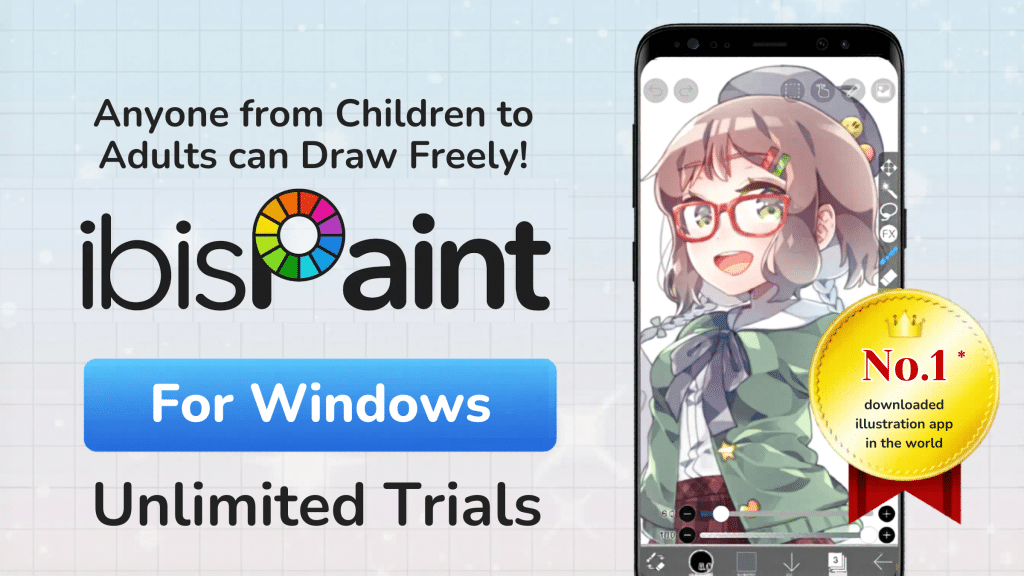
What is Ibis Paint X?
Overview of the App
If you’ve ever dipped your toes into digital art, chances are you’ve heard of Ibis Paint X. It’s one of those apps that quietly exploded in popularity and then suddenly became everywhere. Originally designed for mobile devices, this app turned smartphones into powerful sketchbooks, letting users draw anything from simple doodles to professional manga illustrations.
What makes it special isn’t just its accessibility, it’s the depth. We’re talking about thousands of brushes, tons of materials, advanced layering systems, and tools that feel surprisingly close to professional-grade desktop software. According to recent data, the Ibis Paint series has reached hundreds of millions of downloads worldwide, making it one of the most widely used drawing apps globally.
Why Artists Love It
Let’s be honest, most drawing apps either feel too basic or too complicated. Ibis Paint X sits right in that sweet spot. It’s powerful but not overwhelming. Whether you’re a beginner sketching anime characters or a pro working on detailed illustrations, it adapts to your workflow.
Artists especially love its stroke stabilization, which smooths out shaky lines like magic. It’s like having a steady hand even when yours isn’t. Add to that features like time-lapse recording and cloud syncing, and you’ve got a tool that’s not just functional but also fun to use.
Is Ibis Paint X Available on Windows?
Official Windows Version Explained
Here’s where things get interesting—and a little confusing.
For a long time, Ibis Paint X was strictly a mobile app. But things changed when the developers officially released Ibis Paint for Windows, bringing the experience to desktop users.
However, there’s a catch:
- The Windows version is called “Ibis Paint” (not X)
- The free mobile version (Ibis Paint X) is still mainly tied to mobile platforms
The Windows version is available through the Microsoft Store and supports full-screen drawing, stylus input, and even cloud syncing with mobile versions.
Differences Between Ibis Paint and Ibis Paint X
| Feature | Ibis Paint X (Mobile) | Ibis Paint (Windows) |
|---|---|---|
| Platform | Android / iOS | Windows PC |
| Pricing | Free (ads) | Free limited / Paid |
| Usage Limit | Unlimited | 1-hour/day free mode |
| Performance | Touch optimized | Desktop + stylus optimized |
| Availability | Official mobile app | Microsoft Store |
The biggest difference? On Windows, the free version often comes with time limitations (like 1 hour per day) unless you upgrade.
Key Features of Ibis Paint X on Windows
Brushes, Tools, and Materials
Imagine opening a toolbox and finding not just a hammer and nails—but thousands of specialized tools. That’s what Ibis Paint feels like. The app offers 15,000+ brushes, thousands of materials, and hundreds of fonts, making it incredibly versatile.
Whether you want watercolor effects, manga-style inking, or textured shading, it’s all there. You can even customize brushes to mimic traditional art tools, which is a dream for artists transitioning from paper to digital.
Layer System and Effects
Layers are the backbone of digital art, and Ibis Paint handles them beautifully. You can stack multiple layers, apply blending modes, and experiment without fear of ruining your work.
Think of layers like transparent sheets stacked on top of each other. You can draw on one without affecting the others. This flexibility opens the door to complex compositions and detailed illustrations.
Drawing Performance and Speed
Performance matters, especially when you’re working on detailed artwork. Ibis Paint delivers smooth drawing with up to 60 FPS rendering, ensuring that your lines appear instantly without lag.
On Windows, this gets even better thanks to stronger hardware. Larger canvases, more layers, and faster processing make the desktop experience a significant upgrade.
System Requirements for Windows Version
Minimum Requirements
To run Ibis Paint smoothly on Windows, your system should meet these basics:
- Windows 10 (64-bit) or Windows 11
- Intel or AMD processor
- At least 4GB RAM
- Basic GPU support
Recommended Setup
If you want a smoother experience, especially for complex artwork:
- 8GB RAM or more
- SSD storage
- Graphics tablet or stylus support
- Dedicated GPU (optional but helpful)
How to Download Ibis Paint X on Windows
Official Method via Microsoft Store
The easiest and safest way is through the official Microsoft Store. Just search for “Ibis Paint” and install it directly. This ensures you get updates, security, and full compatibility.
Alternative Method Using Emulator
Before the Windows version existed, artists relied on emulators like BlueStacks. This method still works if you specifically want the mobile version (Ibis Paint X).
Here’s how it works:
- Install an Android emulator
- Open Google Play Store
- Download Ibis Paint X
- Start drawing
It’s like running a phone inside your PC.
Step-by-Step Installation Guide
Installing via Microsoft Store
- Open Microsoft Store
- Search “Ibis Paint”
- Click install
- Launch and start drawing
Simple, right?
Install Manually
First Download ibis Paint zip file from Datavaults.
Make sure you download correct file from datavaults. just watch the video how to download video.
Then Extract the zip file using password: onhaxpk.net
Winrar is required to extract the zip file.
You need another bat file to install ibis paint x windows.
Then watch this video to install ibis paint x for windows.
Installing via Emulator
- Download BlueStacks
- Install and sign in
- Search for Ibis Paint X
- Install and open
This method is slightly heavier but gives you the exact mobile experience.
Pros and Cons of Ibis Paint X Windows
Pros:
- Huge brush library
- Beginner-friendly interface
- Cloud syncing
- Works with stylus devices
Cons:
- Limited free usage on Windows
- Slight learning curve for new users
- Not all mobile features translate perfectly
Best Tips to Use Ibis Paint X on PC
Using Ibis Paint on Windows is like upgrading from a sketchpad to a full art studio. But to get the most out of it, you need to tweak your workflow a bit.
Start by using a graphics tablet. Drawing with a mouse feels like trying to paint with a brick, it works, but it’s not ideal. A stylus gives you pressure sensitivity and precision.
Next, customize your brushes. Don’t just stick to defaults. Experiment, tweak settings, and create your own presets. This is where your art style really starts to shine.
Alternatives to Ibis Paint X for Windows
If you’re exploring options, here are some popular alternatives:
- Krita
- MediBang Paint
- Clip Studio Paint
Each has its strengths, but Ibis Paint stands out for its simplicity and accessibility.
Ibis Paint X vs Other Drawing Software
| Feature | Ibis Paint | Krita | Clip Studio |
|---|---|---|---|
| Ease of Use | ⭐⭐⭐⭐⭐ | ⭐⭐⭐ | ⭐⭐⭐⭐ |
| Features | ⭐⭐⭐⭐⭐ | ⭐⭐⭐⭐⭐ | ⭐⭐⭐⭐⭐ |
| Price | Free/Paid | Free | Paid |
| Best For | Beginners & pros | Advanced users | Manga artists |
Pricing and Subscription Details
The Windows version offers:
- Free mode (limited usage)
- One-time purchase option
- Premium features
It’s flexible, but serious users usually go for the paid version to unlock full potential.
Who Should Use Ibis Paint X on Windows?
This app is perfect for:
- Beginners learning digital art
- Manga and anime artists
- Content creators
- Hobbyists
If you enjoy drawing and want a powerful yet simple tool, it’s a solid choice.
Common Issues and Fixes
Sometimes things don’t go smoothly. Common issues include:
- Lag on low-end PCs
- Stylus not working properly
- App crashes
Most of these can be fixed by updating drivers, adjusting settings, or upgrading hardware.
Future of Ibis Paint on Desktop
The move to Windows is just the beginning. As more users shift to desktop, we can expect better optimization, more features, and deeper integration with professional tools.
Conclusion
Ibis Paint X on Windows bridges the gap between mobile creativity and desktop power. It’s like taking your pocket sketchbook and turning it into a full-blown art studio. While it still has some limitations, especially in the free version, the overall experience is impressive.
If you’re serious about digital art but don’t want to jump into overly complex software, Ibis Paint is a fantastic starting point. And honestly, even seasoned artists find themselves coming back to it because of how intuitive it feels.
FAQs
1. Is Ibis Paint X officially available on Windows?
Yes, but under the name “Ibis Paint.” The X version is mainly for mobile.
2. Can I use Ibis Paint X for free on PC?
Yes, but the Windows version may have time limits unless upgraded.
3. Do I need a graphics tablet?
Not required, but highly recommended for better control.
4. Is Ibis Paint good for beginners?
Absolutely. It’s one of the most beginner-friendly drawing apps.
5. Which is better: emulator or Windows version?
The Windows version is smoother, but emulators give the exact mobile experience.

i cant open video of How to install ibis paint
now added