A hands-on review of PhotoGenerator.ai, covering its image models, editing workflow, usability, strengths, limitations, pricing, and the types of users who may find it useful.
First Impressions: What Problem Is It Trying to Solve?
I have tested quite a few browser-based image generators, and one problem appears again and again: creative work quickly becomes a game of switching tabs.
One tool generates the image. Another edits it. A third handles upscaling. Then there is usually another application for changing the background or preparing the final file.
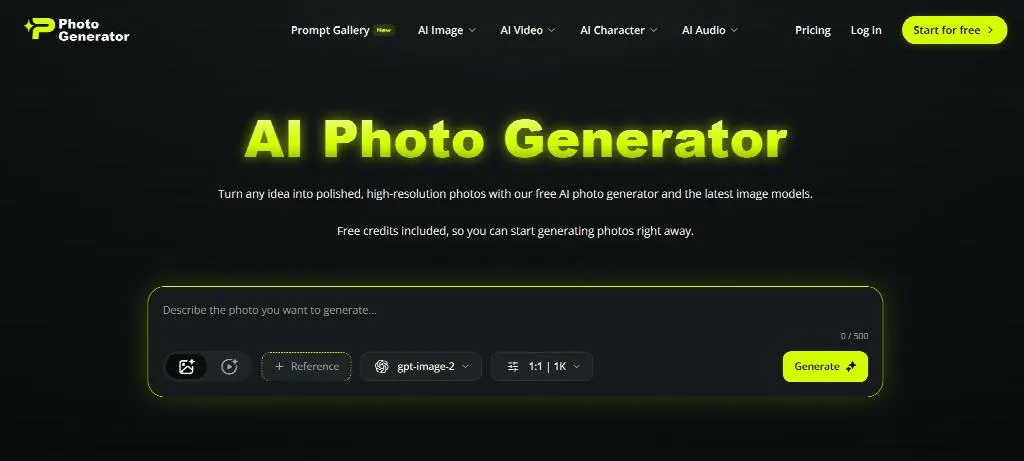
PhotoGenerator.ai takes a different approach. It puts text-to-image generation, image editing, image-to-image workflows, camera-angle control, and upscaling into the same broader platform. Its homepage currently presents several image models, including GPT Image 2, Nano Banana 2, Midjourney, and Seedream 5.0.
That made it worth testing from a practical rather than promotional perspective.
My main question was simple: does having more capabilities in one place actually make image creation easier?
What the Platform Feels Like in Practice
The first thing I noticed was the browser-first design. There is no desktop software to install, and the service can be used from desktop or mobile browsers.
The workflow feels familiar. You describe an image, choose a model or style, generate a result, and then decide whether it needs another round of editing.
That sounds basic, but simplicity matters here.
An AI Photo Generator is only useful when the process from idea to usable image does not become more complicated than the original problem. In my testing, PhotoGenerator.ai generally keeps that path fairly direct.
The platform also provides a prompt gallery with thousands of examples. I found this useful when I knew the subject but did not know how to phrase the visual details.
The Feature Set: More Than Just Text-to-Image
Multiple Models Give You Different Visual Options
Model choice is one of the more interesting parts of the platform.
PhotoGenerator.ai currently lists GPT Image 2, Nano Banana 2, Midjourney, and Seedream 5.0 for image generation. The service positions them differently, with GPT Image 2 focused on prompt understanding and text rendering, Nano Banana 2 on editing, Midjourney on artistic imagery, and Seedream 5.0 on photorealistic detail.
From a user’s perspective, this creates an interesting advantage.
Instead of learning four separate websites, I can test different visual approaches from one interface.
The downside is that model choice can also introduce decision fatigue. Beginners may not immediately know which model is appropriate for a product image, portrait, illustration, or heavily edited composition.
Image Editing Is a Major Part of the Experience
The platform is not limited to creating pictures from scratch.
Users can upload an existing image and describe changes such as background replacement, restyling, or detail retouching. The dedicated editor also supports workflows such as inpainting, transformation, and tag-based editing.
This was one of the more practical aspects of my experience.
For example, imagine having a product image with a plain background. Instead of generating an entirely new product from a prompt, it makes more sense to preserve the original item and modify the surrounding scene.
That distinction matters for ecommerce, where keeping the basic appearance of the real product can be more important than creating an attractive but inaccurate replacement.
Camera-Angle Control Adds a Different Use Case
Another less common feature is camera-angle control.
PhotoGenerator.ai allows users to adjust perspective and generate alternative views, including side, rear, overhead, and close-up perspectives. It also exposes controls for lens type and processing mode.
I see this as particularly useful during the planning stage.
A marketing team could use one approved product image to explore several possible compositions before deciding which views deserve another photography session.
It is not a substitute for a real reshoot in every situation. Hidden product surfaces, exact physical proportions, logos, and small design details still need careful review.
My Test Workflow: From Prompt to Final Image
Step 1: Start With a Specific Prompt
I found that generic prompts produced generic results.
Something like “a professional business portrait” gives the model plenty of room to improvise. A more useful prompt describes lighting, composition, clothing, background, camera perspective, and intended visual mood.
This is fairly typical for an AI Photo Generator. The quality of the prompt still influences the quality of the result.
Step 2: Compare Models Instead of Settling Immediately
The ability to change models makes comparison relatively straightforward.
For a realistic portrait, I would compare photorealistic models. For a cinematic poster or stylized concept, an artistic model may make more sense.
The important point is not that one model is universally better. Different models are optimized for different kinds of outputs, and the platform makes that comparison part of its workflow.
Step 3: Refine Rather Than Regenerate From Scratch
This was probably the most efficient part of the process.
When the composition was close but something felt wrong, editing the existing image was more logical than writing a completely new prompt.
For instance, changing the background or lighting can be handled as a targeted edit. The editor is specifically designed around prompt-based changes and image transformations.
Step 4: Review the Image Before Using It
This step is easy to skip with generative images.
I would still check hands, faces, small text, product edges, reflections, and background details before publishing anything.
The platform itself notes that generated outputs should be reviewed for intended use, while its terms also acknowledge that AI outputs can be inaccurate, similar to other generated content, or affected by model limitations.
Where It Works Well — and Where It Does Not
The Advantages
The biggest advantage is workflow consolidation.
Generating, editing, changing perspectives, and upscaling inside one ecosystem can reduce the friction caused by moving files between different services. The platform also advertises browser access, support for 18 languages, and high-resolution generation.
The free tier is another useful entry point. Its current pricing page lists 10 credits per month, with up to five images and two videos, while paid plans increase the available credits substantially.
I also like the fact that there is a practical reason to use several features together.
A product photo can be generated, edited, given another perspective, and upscaled without necessarily leaving the same platform.
The Drawbacks
The first limitation is still image reliability.
Even capable models occasionally produce details that look convincing at a glance but fall apart when examined closely. Small text, hands, product geometry, and highly specific visual instructions deserve extra scrutiny.
The second issue is iteration.
A polished image rarely appears perfectly on the first attempt. Users who expect “one prompt and done” may find the process less effortless than the interface initially suggests.
There is also the question of pricing for heavier use. The paid plans are credit-based, and the value depends heavily on how frequently you generate images and which models you use. Current listed plans range from a $10/month annualized Starter option to an $89/month annualized Max plan.
Who Is Most Likely to Find It Useful?
I would place ecommerce operators near the top of the list.
They often need multiple product views, consistent backgrounds, promotional variations, and fast visual testing. The platform’s perspective control and commercial-image workflows fit that kind of production process.
Marketers and social-media creators are another natural fit.
They may need several versions of an image rather than one perfect photograph. Rapid experimentation can be more valuable than traditional studio production for early campaign concepts.
Independent consultants, freelancers, and small businesses may also benefit.
For them, paying for separate photography, retouching, editing, and upscaling tools can become inconvenient. A browser-based AI Photo Generator that combines several workflows can reduce the number of tools involved.
Professional photographers are a different case.
I would treat the platform more as a concepting and post-production assistant than a replacement for photography itself.
Why Tools Like This Matter to the Visual Content Market
The more interesting question is not whether AI-generated images look impressive.
That part of the market is already established.
The bigger change is speed.
Traditional photography follows a physical sequence: planning, setup, shooting, reviewing, editing, and exporting. Generative workflows can move some of those decisions into the creative stage.
That means teams can test more ideas before committing resources.
PhotoGenerator.ai reflects this shift by combining generation with editing, perspective changes, and upscaling rather than treating image generation as an isolated feature. However, faster production also means faster mistakes.
A generated image can look believable without being factually accurate. For commercial work, human review remains necessary.
Final Take: A Useful Tool With Normal AI Caveats
After using PhotoGenerator.ai, my impression is fairly straightforward.
It is not a magic replacement for photography or professional image editing. It is a broad creative workspace that brings several increasingly common AI image workflows together.
The strongest aspect is the combination of models and editing tools. The weakest aspect is the same problem shared by most generative image platforms: getting a genuinely precise result can require several attempts.
For casual users, that may be more capability than they need.
For creators, marketers, ecommerce teams, and small businesses producing visual content regularly, the combined workflow can make sense.
My overall conclusion is therefore practical rather than absolute: PhotoGenerator.ai is worth considering when the goal is to explore, generate, revise, and prepare AI-created visuals in one browser-based environment, provided the final outputs are still reviewed carefully before publication.